

Florence field review · SELF-GUIDED TOURS
Florence Audioguide – TravelMate app for your smartphone
Florence has a way of grabbing you fast. This audio guide lets you explore the city at your own speed, using your smartphone and a library of professionally produced tracks. I especially like the no-paper-ticket approach, and the fact that you can replay it as many times as you want over 1095 days after activation.
The other big win for me is the practical flexibility, listen online or offline, and even read the text inside the app if you want. The one real consideration: a small handful of people report audio playback problems, so test your volume and headphones early, before you walk too far.
Key highlights you’ll feel right away

- Start anywhere, no meeting point, download then go
- 89 audio tracks totaling about 263 minutes, plus a quiz section
- Offline listening or online, so Wi-Fi is optional
- Text readouts inside the app, for when you want to skim
- Many languages, including English, Italian, French, Spanish, German, Russian, and Chinese
- Relisten anytime within a long 1095-day window after first activation
Florence at your own pace, with the route in your pocket
- Florence: Uffizi Priority Ticket & Masterpieces Audio App★ 4.2 · 6,402 reviews
- Florence: Michelangelo’s David Entrance Ticket and Audio App★ 4.3 · 1,901 reviews
- Florence: Uffizi & Accademia Priority Tickets with Audio App★ 4.4 · 1,253 reviews
- Florence: Eco-Friendly Golf Cart City Tour with Audio Guide★ 4.6 · 1,094 reviews
How the TravelMate Florence audioguide fits your day

Think of this as a low-stress, phone-based city guide. You download the TravelMate app (called TRAVELMATE on Android, TRAVELMATE TM on iOS), enter your activation code, and you can start right away wherever you are in Florence.
You are not stuck in a group schedule. Instead, you can shape your day around what you actually want to see, then press play when you reach the next spot.
Price and value: $6 for Florence, minus the paperwork
At $6 per person, this is priced like an everyday add-on, not a premium guided tour. That matters because Florence can be expensive fast, between museums, timed tickets, and day-to-day transit costs.
What makes the value feel real is the replay ability. The audio guide does not expire after purchase in the way many short-lived services do, it stays valid for 1095 days from first activation, so you can revisit if you return or if you skip parts on your first pass.
Also, you avoid the hassle of collecting something physical. No paper ticket queue, no third-party device to handle, just your own phone and your own headphones.
The full Florence audio route, stop by stop
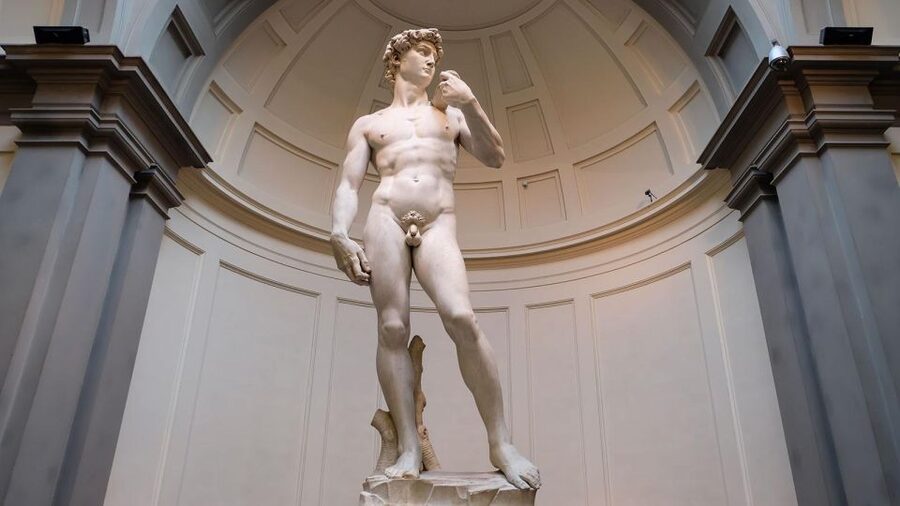
Below is the set of places the guide includes. You can treat this like a menu, since there is no fixed order forced on you.
Florence introduction and local-cuisine mindset
You begin with Florence Introduction, then a segment on The Wonders of local cuisine. I like starting here because Florence is not just art. Once you understand what locals eat and how the city thinks about food, you’ll notice more in the streets around you.
Accademia, Bargello, and the “look closely” lesson
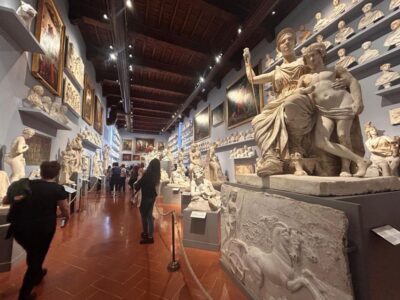
Accademia is where you’ll connect the guide’s story to one of the city’s most famous Renaissance moments. After that, Bargello shifts the mood toward sculpture and craft, a good pairing if you like details and strong artistic technique.
If you are the type who enjoys standing quietly and reading small clues in stone, these two tracks are a good way to slow down without feeling lost.



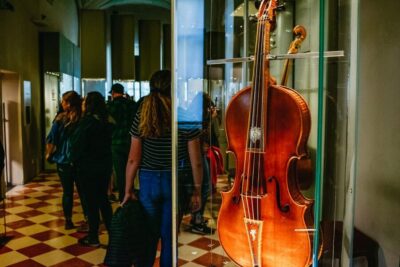
Boboli Gardens and Brancacci Chapel for texture
Boboli Gardens gives you a break from the heavy museum hours. Expect the guide to frame the gardens as part of the power and lifestyle of the people who shaped Florence.
Then Brancacci Chapel adds a focused religious-art payoff. It’s one of the stops that works well when you listen in short bursts, because the area invites close looking.
Cathedral and Medici Chapels: power, faith, and design
At the Cathedral, the audio guide can help you connect the building to the broader story of the city and its ambition. Keep your ears open for the “why this looks like this” explanations, not just what it is.
Next up are the Medici Chapels. Here, you’re dealing with Florentine influence in a more personal form, where the guide’s background helps you see how politics and art were linked.
Orsanmichele, Palazzo Medici, and the civic layer
Orsanmichele is interesting because it’s not only about a single attraction. It reflects the civic world behind the scenes, the kind of organization that lets a city build and commission things for centuries.
Then you get Palazzo Medici in the mix. I like using a palace track here because it helps you understand why Florence felt like it ran on patronage and status, not just talent.
Palazzo Pitti and Palazzo Vecchio: two sides of the same story
Palazzo Pitti is a strong “scale” moment. Even if you do not love every room, the guide can help you notice what changes when power gets bigger.
From there, Palazzo Vecchio balances it. This is where the city’s political face is easier to read, and the audio guide should help you interpret what you see without needing to memorize a textbook.
Piazza Annunziata and Piazza della Signoria: people watching with context
Piazza Annunziata is one of those stops where the setting matters as much as the structures. The guide’s job is to point out what you can interpret from where you stand.
Then Piazza della Signoria takes center stage. This is a place to combine audio with a slow walk around the edges, because the best views of history are often the ones you discover by turning your head.
Piazzale Michelangelo and Ponte Vecchio: the “stand and listen” spots
Piazzale Michelangelo is ideal for the audio guide style. You can pause, look out over the city, then press play and let the narration match the skyline in front of you.
After that, Ponte Vecchio is the classic Florence crossing. It’s a good point to use earphones and keep your own pace, because you’ll naturally be stopping to watch the river, the bridge, and the flow of foot traffic.
San Lorenzo, San Marco, Santa Croce, and Santa Maria Novella
You’ll get a cluster of major churches: San Lorenzo, San Marco, Santa Croce, and Santa Maria Novella. I find it helps to treat these like a theme, not a checklist, because the guide can give you a way to connect them instead of dropping you into separate landmarks.
San Lorenzo and Santa Maria Novella can feel especially meaningful if the audio keeps your attention on what makes each place distinct, not just impressive. Santa Croce is another one that rewards listening because it turns what looks like decoration into something with meaning.
San Marco tends to work well when you slow down. If you listen while you walk through, you’ll get more out of the atmosphere.
Santo Spirito and Via De’ Tornabuoni for the “real streets” feeling
Santo Spirito is a good contrast. If you’ve been museum-heavy, this is the kind of stop where the guide can help you read the everyday city around you.
Then Via De’ Tornabuoni adds a street-level feel. You’ll likely appreciate it more if you use it as a wandering corridor, letting the audio explain what you are seeing as you go.
Uffizi and one last art hit
Uffizi is an obvious centerpiece. The audio guide can be helpful because it gives you context so you can decide what to focus on instead of chasing everything at once.
Finishing points: your ending doesn’t have to be rigid
Your guide list ends with Uffizi and the other included stops earlier. Since there is no meeting point, you can finish wherever you are and close the app when you’re satisfied.
In other words, the “route” is really a set of options. You do what fits your stamina, not what fits a scripted plan.
Offline listening and the phone basics that matter

The app supports online or offline listening. That’s a big deal in Florence, where some areas are fine for data and others can be spotty, especially inside buildings.
Here’s how to use that advantage smartly:
- Start with earphones and keep your phone volume high enough to hear clearly.
- If you plan to go offline, make sure the audio you want is ready before you step into low-signal zones.
- If you want to pause and read, the app lets you access text of the audio files, which can be handy when you’re standing still.
Also, this setup uses your own smartphone. That’s not a glamour feature, but it’s a comfort feature. You’re not sharing devices, and you control how your phone sounds.
Languages, quiz mode, and how to keep it fun

The guide includes Italian, English, German, Russian, Spanish, Chinese, and French. So if you’re traveling as a mixed-language group, you can each load the same experience on your own device and follow along independently.
There’s also a quiz section with short questions. I like quiz bits because they stop the audio from turning into background noise. When you hear a question, you either check your understanding or you learn something quickly and move on.
Accessibility and comfort, what you should know

The audio guide is listed as wheelchair accessible. Since the experience is self-paced, this also means you can adjust your route based on entrances and comfort without worrying about a group waiting for you.
One more practical note: earphones are recommended. That’s the difference between “I think the guide is talking” and actually enjoying the narration while you look around.
The main drawback to plan for: playback issues

The rating is 4.1 from 29 reviews, which suggests most people are having a good experience. Still, one review highlights a painful problem: some audio tracks could be hard to hear or only play partly, and the person gave up.
So, treat this like any app-based audio service. Before you commit to a long walk, do a quick check:
- Play a track right after you start.
- Confirm volume is enough for outdoors.
- Try a different earphone if audio sounds wrong.
If something feels broken, it’s better to troubleshoot immediately than after you’ve walked across the city.
Should you book this Florence Audioguide?

You should buy it if you want a budget-friendly, flexible way to learn Florence while walking your own plan. It’s especially worth it if you like replaying content later, because the 1095-day validity is long enough to use across multiple visits or multiple days.
You might skip it if you rely on flawless audio playback with no tinkering at all. Since there is no meeting point and everything runs through the app, you’ll want your phone and headphones to cooperate.
FAQ

FAQ
What is the price of the Florence Audioguide TravelMate app?
The price is listed as $6 per person.
Do I need a meeting point to start?
No. There is no meeting point. You download the app and start your experience straight away wherever you prefer.
How long is the guide valid?
It is valid for 1095 days from first activation.
Can I listen online or offline?
Yes. You can listen to the audio guide online or offline.
What languages are included?
The audio guide is available in Italian, English, German, Russian, Spanish, Chinese, and French.
Can I read the text of the audio files?
Yes. You may read the text of the audio files in the app.
Where do I find my activation code?
You can find the activation code in the email by using Show activity details or Show your tickets here, then tapping the barcode in the orange frame. The activation code is the 10-digit number just under the barcode. You can also find it in the GetYourGuide app under Show ticket in the App and then tap the barcode in the orange frame.
Is there free cancellation?
Yes, free cancellation is available. You can cancel up to 24 hours in advance for a full refund.
Take Florence at your own pace





Every Florence review, in one place
- Tuscany Day Trip from Florence: Siena, San Gimignano, Pisa and Lunch at a Winery
★ 5.0 · 21,634 reviews - The Best tour in Florence: Renaissance & Medici Tales – guided by a STORYTELLER
★ 5.0 · 12,316 reviews




Florence picks that sit just beyond this itinerary
- One Hour Uffizi Guided Tour: Masterpieces of the Renaissance
★ 5.0 · 3 reviews - Sightseeing Tuscany by touring bike – 1 day rental
★ 5.0 · 3 reviews - Private Siena, S. Gimignano, Chianti Road and Wine Tasting
★ 5.0 · 3 reviews - Bargello Museum Private Tour: Michelangelo’s Bacchus & Donatello’s David
★ 5.0 · 3 reviews - Authentic Florence Cooking Class at Costanza’s 1839 Family Estate
★ 5.0 · 3 reviews - San Gimignano and Volterra private tour: etruscans, romans and middle age jewels
★ 5.0 · 3 reviews
More Self-Guided Tours worth comparing.
 ★ 4.2Uffizi Priority Ticket & Masterpieces Audio AppFrom $316,402 reviews
 ★ 4.3Michelangelo’s David Entrance Ticket and Audio AppFrom $381,901 reviews
 ★ 4.4Uffizi & Accademia Priority Tickets with Audio AppFrom $921,253 reviews
 ★ 4.6Eco-Friendly Golf Cart City Tour with Audio GuideFrom $671,094 reviews
 ★ 4.2Uffizi Skip-the-Line Ticket & Digital Audio GuideFrom $471,044 reviews
 ★ 5.0Private Self-Guided E-Bike Ride in Tuscany with Vineyard VisitFrom $96775 reviews
 ★ 3.5Florence Duomo Cathedral with Host & Audio Guide (Interior Only)From $7702 reviews
 ★ 4.3Accademia Gallery Ticket with Optional Audio GuideFrom $39586 reviews
Find this experience in another shortlist